


Remote teams connecting through screens. In-office colleagues huddled around a conference table. Someone’s audio cutting out mid-sentence while others lean forward to catch what’s being said. You’ve been there, and you know the drill.
Hybrid meetings have become the default mode of collaboration, yet they’re often anything but seamless. You need more than good intentions to make these sessions work. You need the right technology, the right environment, and the right approach to keep every participant engaged and heard.
The good news? Purpose-built spaces designed specifically for hybrid work can transform these challenging sessions into genuinely effective conversations.
Key Takeaways
Hybrid meetings demand specialized technology that goes far beyond a laptop webcam and basic speakers.
The environment where your in-person attendees gather shapes the energy and participation levels for everyone involved, both remote and on-site.
Measuring success means tracking participation patterns, not just attendance numbers.
Getting hybrid right requires rethinking your entire approach to meetings.
What Makes Hybrid Meetings Different (And Difficult)
Hybrid meetings are different and difficult because they combine in-person and remote participants, creating challenges in engagement, communication equity, and technology integration. Differences in presence and access can disrupt flow, while poor audio, lag, or camera angles often disadvantage remote attendees compared to those in the room.
You’re essentially running two different experiences simultaneously, trying to merge them into something cohesive. Remote participants struggle to read body language and pick up on conversational cues that happen naturally in physical spaces. Meanwhile, people in the room tend to engage more with each other, sometimes forgetting that colleagues are joining through screens. This split creates an inherent imbalance that technology alone can’t solve.

The Technology Gap That Derails Hybrid Sessions
Many conference rooms were designed for people sitting around a table, not for broadcasting to remote participants. The camera placement, microphone coverage, and display setup all matter tremendously. A single webcam perched on a monitor captures only a fraction of the room, leaving remote attendees squinting at distant faces. Standard laptop mics pick up the person closest while turning everyone else into muffled background noise. Screen sharing becomes awkward when you’re trying to show content both to the people in front of you and those viewing remotely. These technical shortcomings compound quickly, turning what should be a straightforward conversation into a logistical puzzle.
The Environmental Factor Nobody Talks About
Beyond equipment specifications, the physical space itself influences meeting quality in ways you might not realize. Room acoustics affect how clearly voices carry and whether echo becomes a problem. Lighting determines whether remote participants see actual faces or shadowy silhouettes. Even furniture arrangement matters, as scattered seating makes it harder for cameras to capture everyone and creates uneven audio pickup. Home environments add their own complications with background noise, unprofessional backdrops, and inconsistent internet reliability. Professional meeting spaces address these elements systematically rather than leaving them to chance.
Why Participation Drops When Formats Mix
Remote attendees often feel like second-class participants, watching conversations happen rather than being part of them. The slight audio delay makes natural turn-taking difficult, so they hesitate to jump in and end up staying silent. Meanwhile, in-room participants forget to speak up clearly or address the camera when responding to remote colleagues. Side conversations that would be minor distractions in fully in-person settings become completely exclusionary in hybrid formats. Without intentional facilitation and proper setup, your remote team members become passive observers rather than active contributors.
What Technology is Needed for Hybrid Meetings?

Creating successful hybrid experiences requires investing in specialized equipment designed specifically for this format. Generic consumer-grade tech won’t deliver the quality you need. Professional meeting rooms come equipped with integrated systems that handle video, audio, and connectivity challenges simultaneously, giving you reliable performance without constant troubleshooting.
Video Systems That Actually Show Everyone
Wide-angle cameras capture the entire room so remote participants can see everyone present, not just whoever happens to sit directly in front of the screen. Speaker tracking technology automatically focuses on whoever’s talking, creating a more natural viewing experience for those joining remotely. Multiple camera angles give remote attendees different perspectives, helping them feel more present in the space. Display screens need to be large enough that everyone in the physical room can see remote participants clearly without squinting at a small monitor.
Audio Equipment That Creates Real Conversation
Distributed microphone arrays throughout the room capture every voice equally, whether someone’s sitting close to the camera or at the far end of the table.Quality speakers project remote voices clearly throughout the room so everyone can hear without straining. Proper audio creates the foundation for natural conversation flow, letting people interrupt, agree, or question just as they would face-to-face.
Platform Integration and Smart Features
Modern professional video conferencing setups integrate with the collaboration tools your team already uses, whether that’s Zoom, Teams, or another platform. One-touch start eliminates the fumbling around with connections that wastes the first ten minutes of meetings. Wireless content sharing lets anyone present from their device without passing cables around.
Reliable Connectivity You Can Count On
Enterprise-grade internet connections provide the bandwidth and stability that residential or standard office setups often lack. Redundant connections ensure that if one network path fails, your meeting continues uninterrupted. Dedicated bandwidth for video conferencing prevents someone’s large file download from degrading call quality. Wired connections for in-room equipment eliminate Wi-Fi dropouts that plague wireless setups. Consistent, reliable connectivity removes the anxiety about whether your connection will hold throughout important discussions.
Why Environment and Energy Matter as Much as Equipment for Hybrid Meetings
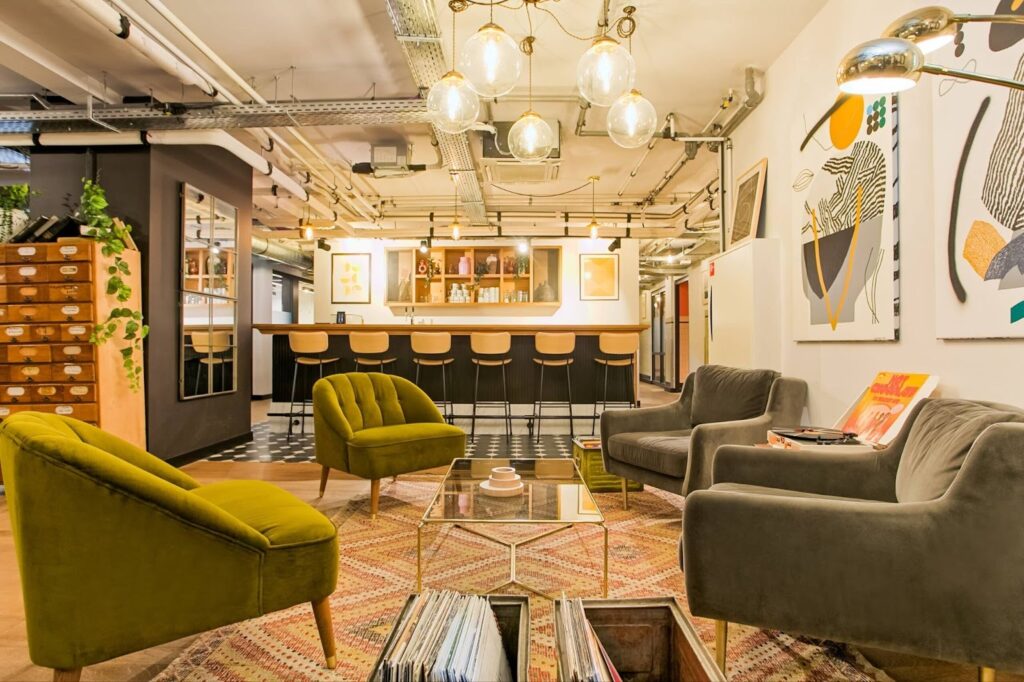
The physical setting influences meeting effectiveness in ways that extend beyond technical specifications. Your choice of location affects how people feel, how they participate, and ultimately how productive your time together becomes. Professional workspaces create atmospheres that support focused collaboration rather than fighting against it.
Acoustics, Lighting, and Room Design
Sound-absorbing materials prevent voices from bouncing around and creating that hollow conference room echo. Strategic lighting placement ensures faces are well-lit without harsh shadows or glare on screens. Room dimensions and ceiling heights affect audio quality and how voices carry. Color schemes and design choices create either energizing or calming atmospheres depending on meeting needs. Climate control keeps everyone comfortable without noisy fans or air conditioning disrupting audio. These environmental factors work together to create spaces where people can focus on conversation rather than fighting physical discomfort or technical obstacles.
The Psychology of Professional Space
Meeting in a dedicated meeting environment signals that this time matters. Home settings blur work and personal life in ways that reduce focus. Traditional offices carry existing hierarchies and political dynamics that can stifle open discussion. Neutral professional spaces create psychological distance from these associations. The ambient energy of a well-designed workspace subtly influences engagement levels. Surroundings that look professional on camera help remote participants take the meeting seriously. Physical environments communicate unspoken messages about the importance and tone of your gathering.
Practical Strategies to Prevent Awkward Silence and Boost Participation in Hybrid Meetings
Technology and environment provide the foundation, but facilitation techniques determine whether your hybrid meetings achieve their potential. You need deliberate approaches that account for the format’s unique challenges rather than simply trying to recreate in-person dynamics.
Facilitation Techniques for Hybrid Equity
Explicitly invite remote participants to contribute rather than assuming they’ll speak up on their own. Rotate who leads different agenda items to distribute responsibility across locations. Build in intentional pauses after questions to account for audio delay and give people time to unmute. Call on people by name rather than waiting for volunteers, ensuring everyone participates. Monitor the chat actively since remote participants often communicate there when they hesitate to interrupt verbally. Assign someone to specifically watch for raised hands or signals from remote attendees that the primary facilitator might miss.
Using Collaborative Tools to Level the Playing Field
Shared documents that everyone can edit simultaneously give remote and in-room participants equal ability to contribute ideas. Digital polling and surveys gather input from everyone quickly without privileging those who speak fastest or loudest. Breakout rooms mix remote and in-room participants when platform capabilities allow, forcing cross-location collaboration. Virtual whiteboards visible to all attendees create a shared workspace that doesn’t favor either group. Recording meetings and sharing transcripts helps people who had technical difficulties or couldn’t attend, extending participation beyond the synchronous session.
Meeting Structures That Keep Everyone Engaged
Shorter, focused sessions maintain energy better than marathon meetings where attention inevitably wanders. Clear agendas shared beforehand help everyone prepare and reduce time spent figuring out what you’re discussing. Defined roles like timekeeper, note-taker, and facilitator distribute responsibility and keep things moving. Regular check-ins with remote participants prevent them from drifting into passive observation. Alternating between presentation, discussion, and interactive elements maintains interest through variety. Starting and ending on time respects everyone’s schedule and builds trust that meetings won’t waste their time.
Addressing the Delay and Timing Challenges
Audio latency creates awkward overlaps where people start talking simultaneously, then stop, then start again. Acknowledging this reality upfront reduces frustration when it happens. Establishing simple signals like raised hands (physical or virtual) helps manage turn-taking. Allowing slightly longer pauses between speakers accommodates delay without feeling unnatural. Remote participants speaking slightly more slowly and clearly helps comprehension across potential connection quality variations. Patience becomes essential, as does grace when timing mishaps occur.
How Can You Measure Hybrid Meeting Effectiveness?
Measure hybrid meeting effectiveness by tracking participation rates, engagement levels, decision outcomes, and follow-up completion. Use post-meeting surveys, analytics from collaboration tools, and feedback from attendees. Effective hybrid meetings show clear decisions, equal participation, and task follow-through from both remote and in-person teams.
Participation Metrics That Reveal True Engagement
Track who speaks during meetings and how often to identify imbalances between remote and in-room attendees. Monitor chat activity as another participation indicator, noting whether remote participants engage there more than verbally.
Outcome-Based Success Indicators
Assess whether meetings produce the intended results, whether that’s decisions made, problems solved, or alignment reached. Track how often you need follow-up meetings to resolve issues that should have been handled in the original session. Measure time from meeting to action on decisions or next steps. Evaluate whether remote and in-room participants leave with the same understanding of what was discussed and decided.
Warning Signs Your Hybrid Setup Isn’t Working
Remote participants consistently staying silent suggests they can’t or won’t engage effectively. Technical problems consuming meeting time indicates infrastructure inadequacy. Side conversations among in-room participants that exclude remote attendees signals fundamental format failure. Meeting fatigue that leads people to decline optional hybrid sessions points to poor experiences. Decisions getting revisited because remote participants weren’t genuinely involved the first time. Complaints about not seeing or hearing properly reveal environment or equipment deficiencies. These symptoms demand immediate attention rather than hoping things improve on their own.
How Do Coworking Spaces Solve Both the Technology and Energy Problems?

Purpose-built flexible workspace solutions address hybrid meeting challenges more comprehensively than cobbled-together home or office setups. These environments were designed specifically for the way modern teams actually work, not retrofitted from older paradigms.
Professional Infrastructure Without the Capital Investment
Equipping a single conference room with proper hybrid capabilities can cost tens of thousands when you factor in cameras, microphones, displays, connectivity, and integration. Maintaining and updating that technology adds ongoing expense and requires technical expertise. Coworking spaces spread these costs across many users, giving you access to professional meeting infrastructure without the capital outlay. Someone else handles technical maintenance, updates, and troubleshooting. You get enterprise-grade setup for the cost of booking a room rather than building and maintaining your own.
Ambient Energy and Psychological Neutrality
Working from home creates isolation that drains energy over time. Corporate offices carry baggage and politics that can stifle certain conversations. Coworking environments provide professional atmospheres without either drawback. The presence of other professionals working nearby creates ambient energy that helps focus without distraction. Neutral territory removes power dynamics associated with whose office or whose preferred location you choose. Remote participants connecting into these spaces sense professionalism and energy through what they see and hear on camera. The environment elevates the meeting experience for everyone involved.
Flexibility to Match Meeting Needs
Small rooms for intimate team discussions, large spaces for all-hands presentations, and everything between. Book what you need when you need it rather than being constrained by permanent infrastructure. Scale up for quarterly gatherings and scale down for weekly check-ins without maintaining multiple conference rooms sitting empty most of the time. Access locations near clients, partners, or distributed team members rather than requiring everyone to travel to headquarters. Flexibility extends to technical setup too, with spaces configured for different meeting types rather than one-size-fits-all rooms.

How Mindspace Delivers the Complete Hybrid Meeting Solution
Mindspace meeting rooms come fully equipped with the technology and environment that hybrid formats demand. You walk in, connect your device, and start your meeting without technical drama or infrastructure concerns. The professional atmosphere shows up on camera, signaling quality and intentionality to remote participants. Multiple global locations mean you can host hybrid meetings near wherever your team or partners happen to be, reducing travel requirements while maintaining professional standards.
Ready to stop fighting with technology and start having productive hybrid meetings? Book your Mindspace meeting room and experience the difference that proper infrastructure and professional environments make. Your remote team members will thank you, your in-office participants will appreciate the upgrade, and your meetings will finally deliver the collaboration and productivity they should.
The Author

You might also like these reads — picked just for you.
Best Coworking Spaces in Amsterdam: Your Complete Guide
Your coworking space in Amsterdam ends up doing far more work than a desk and a Wi-Fi password ever could. You take client calls there. You meet the people who send you your next project, and on most weekdays you spend more waking hours there than in your own flat. Choose badly and you’ll spend […]

Where to Rent Office Space in Amsterdam: Best Areas Compared
Amsterdam squeezes a remarkable range of business districts into a city you can cross by bike in half an hour. Pedal from a glass tower in Zuidas to a gabled canal house in the centre and the rent, the neighbours and the impression you make on clients all shift along the way.

Amsterdam Office Rental Prices: Why Flexible Workspace Is the Smarter Choice
You're comparing Amsterdam office costs, and the first numbers you'll find look almost too clean. A conventional lease runs 175 to 425 euros per square metre a year, depending on which postcode you're chasing. A serviced or flexible desk runs 250 to 800 euros a month, sometimes more, again shaped by district and building quality. Line those two numbers up side by side and the lease wins on paper, every time.
